Ayushman Bharat Digital Mission (ABDM) is transforming healthcare delivery in India. If your hospital isn't ABDM-integrated yet, you're missing out on the digital health revolution. This guide walks you through everything you need to know about ABDM integration.
What is ABDM?
ABDM (Ayushman Bharat Digital Mission) is India's flagship initiative to create a national digital health ecosystem. Launched in 2021, it aims to:
ABDM integration is now mandatory for government hospital empanelment.
Hospitals with ABDM integration report 25% faster patient registration.
- Create unique health IDs (ABHA) for every citizen
- Enable interoperable health records across hospitals
- Facilitate consent-based health data sharing
- Digitize healthcare delivery nationwide
Key Components of ABDM
1. ABHA (Ayushman Bharat Health Account)
Every patient gets a unique 14-digit ABHA ID that serves as their digital health identity. This ID links all their health records across different healthcare providers.
ABHA Address: A human-readable identifier like yourname@abdm for easy sharing.
2. Health Facility Registry (HFR)
All healthcare facilities (hospitals, clinics, labs) must register in the national Health Facility Registry to participate in ABDM.
3. Healthcare Professionals Registry (HPR)
Doctors, nurses, and other healthcare professionals get verified digital identities linked to their professional credentials.
The 3 Modules of ABDM Integration
M1: HPR Integration
Register and verify healthcare professionals. Link doctor credentials to the national registry.
M2: HFR Integration
Register your hospital/clinic in the Health Facility Registry with unique facility ID.
M3: Health Records
Enable consent-based health record linking and sharing with patients via ABHA.
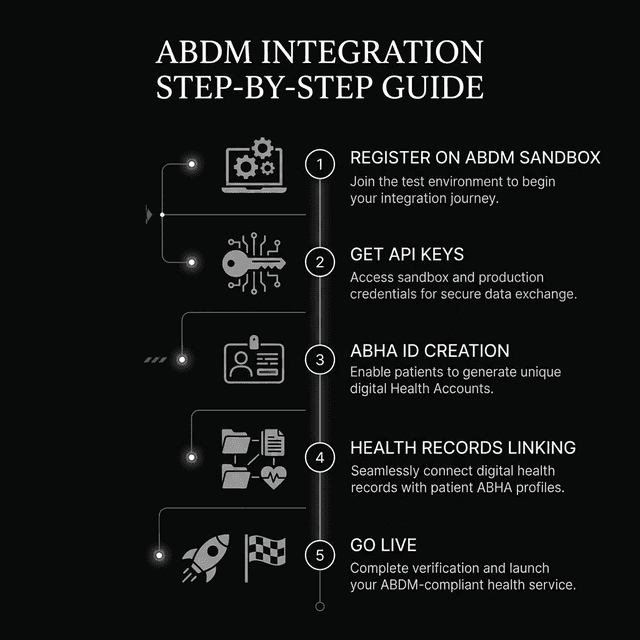
Step-by-Step ABDM Integration Process
Step 1: Register on ABDM Sandbox
Start by registering your hospital software on the ABDM sandbox (testing environment) at sandbox.abdm.gov.in.
- Create developer account
- Get Client ID and Client Secret
- Access API documentation
Step 2: Implement M1 (HPR) Integration
Integrate with Healthcare Professionals Registry APIs to:
- Verify doctor registrations
- Link medical council numbers
- Authenticate practitioner identities
Step 3: Implement M2 (HFR) Integration
Register your facility in the Health Facility Registry:
- Submit facility details (name, address, type)
- Link practitioners to facility
- Get unique HFR ID
Step 4: Implement M3 (Health Records)
This is the most complex module. It involves:
- ABHA ID verification and linking
- Consent request and management
- FHIR bundle creation for health records
- Secure data transfer with encryption
Step 5: Sandbox Testing
Test all integrations thoroughly in the sandbox environment before moving to production.
Step 6: Production Certification
After successful testing, apply for production access and complete the certification process.
Technical Requirements
- OAuth 2.0: For secure authentication
- FHIR R4: For health data exchange format
- TLS 1.2+: For encrypted communication
- AES-256: For data encryption at rest
- JWT Tokens: For API authorization
Why Use Pre-Integrated Software?
Building ABDM integration from scratch requires significant development effort (typically 3-6 months). Using pre-integrated HMS like Adrine offers:
- Instant Compliance: ABDM-ready out of the box
- Automatic Updates: Stay compliant as ABDM evolves
- No Development Cost: Save lakhs in custom development
- Tested & Certified: Already passed ABDM certification
Benefits of ABDM Integration
- Insurance Claims: Mandatory for PMJAY (Ayushman Bharat insurance)
- Patient Experience: One-click record access for patients
- Referrals: Easy health record sharing with specialists
- Government Contracts: Required for many government hospital contracts
- Future-Proofing: Be ready for India's digital health future
Need ABDM-Compliant Hospital Software?
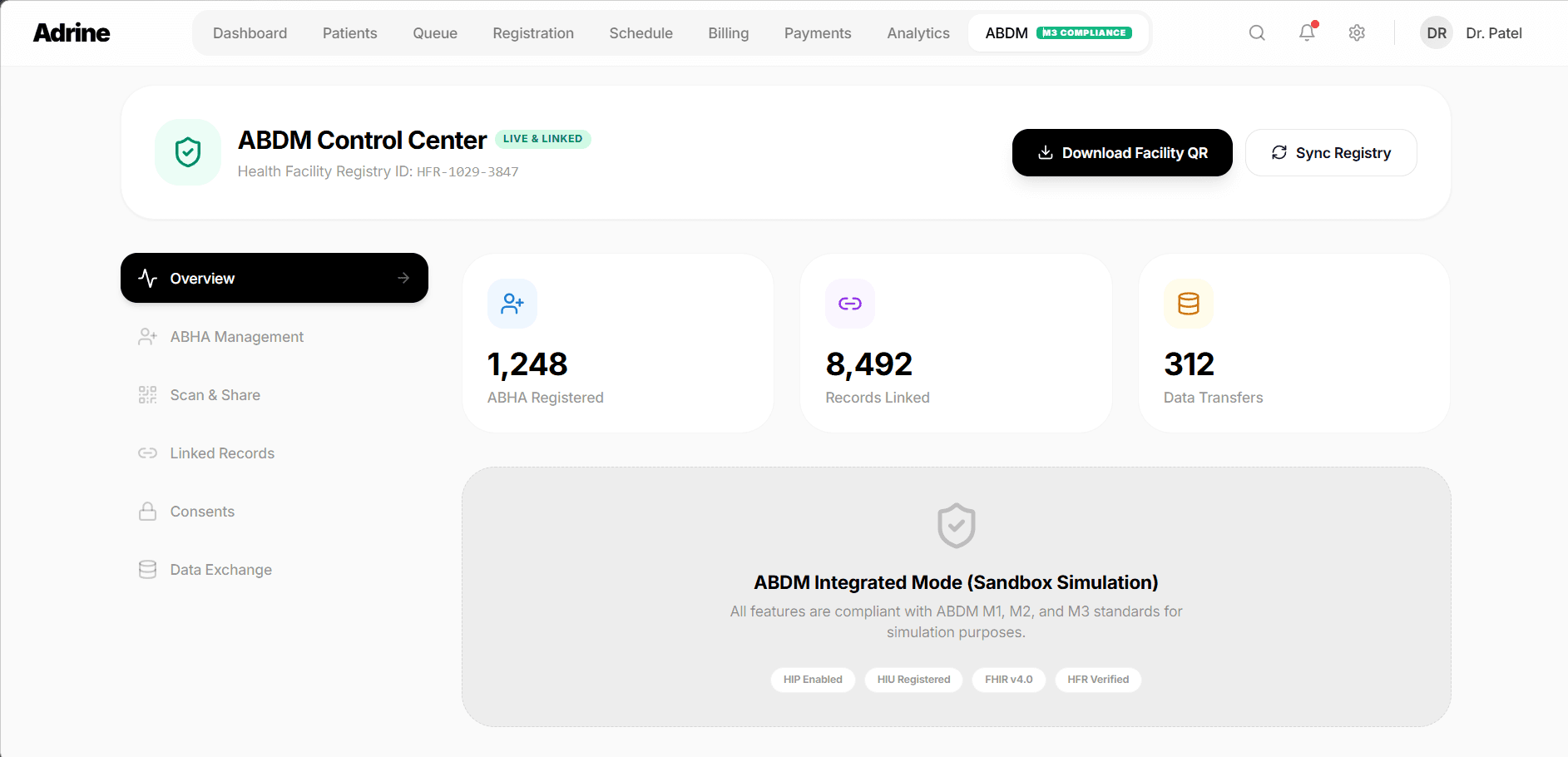
Adrine comes with built-in ABDM integration. Skip months of development work.
Get Free Demo